AI Logo Generator, Logo Maker
DesignWiz AppsArt & Design
4.81.44K Reviews
- Version
- 156.0
- Installs
- 1.00M
- Age Rating
- Everyone
Screenshots
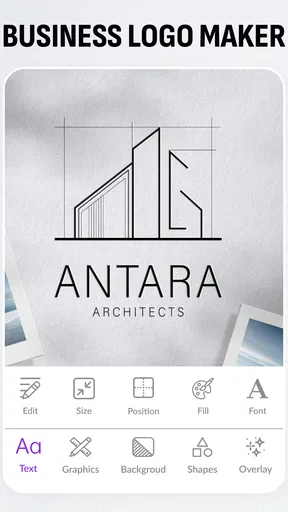
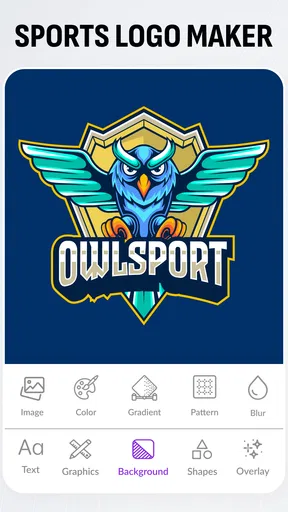
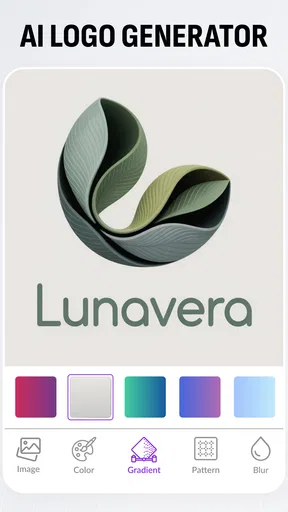
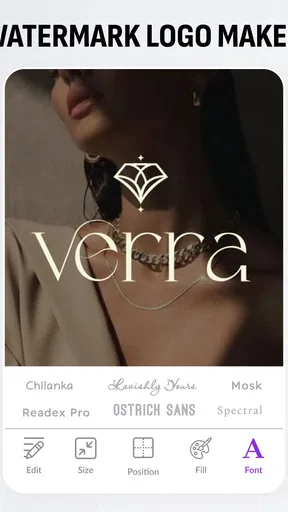
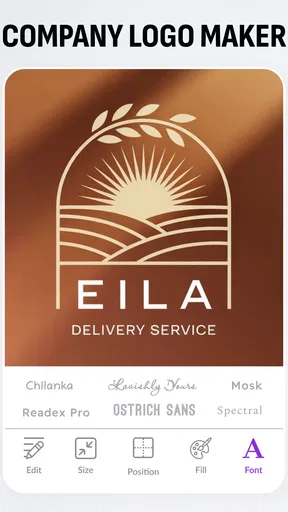
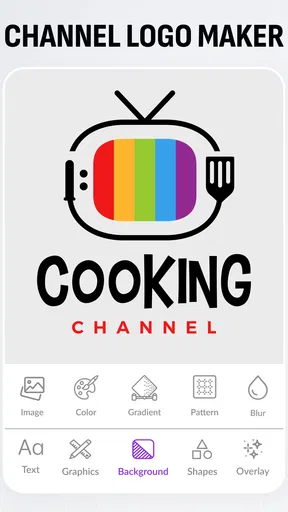
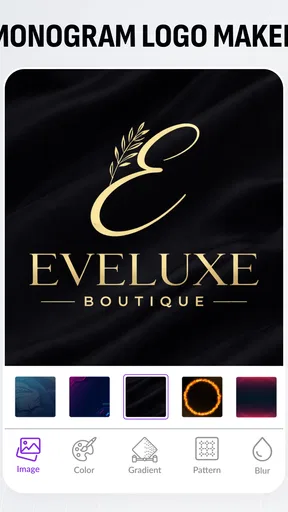
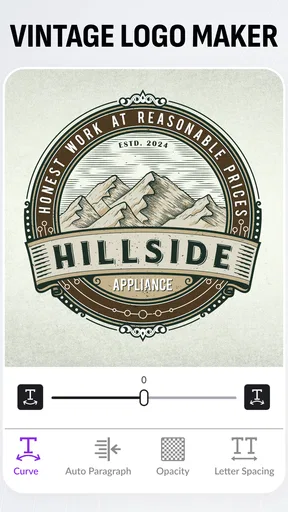
Our Review of AI Logo Generator, Logo Maker
 Analysis by Appyee
I tend to get stuck with logo apps at the point where an attractive preview has to become a useful, consistent brand mark. A design can look lively on a phone and still become hard to read on a shop sign, profile image, or invoice. That practical gap is the right way to judge Logo Maker, AI Logo Generator: it offers a quick route into making a logo, but the result still needs a little thought before I’d use it everywhere.
Where the first choices can slow you down
The app is an art and design tool from Apps You Love, and its AI suggestions are aimed at getting a first concept on screen without making you start from a blank canvas. That is useful when you have a business name and a rough sense of style but no design vocabulary. The flip side is that a generated idea is a starting point, not a decision made on your behalf. If the first options feel generic, I’d change one variable at a time—such as the wording, color direction, or icon choice—rather than repeatedly starting over without knowing what I want to improve.
Browsing templates can also create decision fatigue. Categories help narrow the field, but a category like food or fashion is broad enough to contain very different kinds of businesses. I’d look for a shape and visual tone that fit the actual customer I’m trying to reach, not simply pick the first polished sample. A neighborhood bakery, for example, may need a friendly and legible mark more than an ornate illustration that looks impressive only when enlarged.
Checks that make a smoother start
Before designing, I’d write the business name exactly as it should appear and decide whether a short tagline really belongs in the logo. Long wording can crowd a compact design, especially when it has to fit in a small profile picture. I’d also choose a simple description of the business rather than trying to pack the whole brand story into the prompt. Clear inputs make it easier to judge whether the resulting suggestions are relevant.
The app is free to download, with in-app purchases listed from $3.99 to $79.99 per item. I’d explore the workflow and make a rough draft before paying for anything, then check what the specific option offers and whether it suits the job I have in mind. That is a sensible habit for any design app: don’t assume every export or asset is included just because the editor itself is available at no charge.
It is also worth checking the finished design at more than one size. A thin line or small subtitle might be clear on the editing screen and disappear when the logo is reduced. I’d zoom out, test a one-color version if possible, and see whether the name still reads quickly. This small review catches problems earlier than discovering them after using the design on a social profile or printed item.
Recovering a design that has gone off course
If an edit starts looking worse, I wouldn’t keep piling on changes. I’d pause, identify the part that is not working—type, icon, spacing, or color—and return to a simpler version of that element. A logo has limited room to communicate. Removing an extra decoration can improve clarity more than adding another effect, and a restrained design is often easier to reuse across different backgrounds.
For a practical workflow, I’d keep a short list of what the logo must do: show the business name clearly, feel appropriate to its audience, and remain recognizable when small. Then I’d compare a few promising drafts against that list instead of choosing only by personal taste. If I’m making a logo for a side project, I might save a clean main version and a compact variation for places where the full wording will not fit. That approach reduces the temptation to squeeze every detail into one layout.
One everyday example: if I were setting up a weekend craft stall, I could use the app to explore a name-and-symbol concept before printing labels. I’d first check that the name is readable at label size, then see whether the colors still work on the likely packaging. A phone preview is handy for comparing ideas, but it is not a substitute for checking the design in the context where customers will actually see it.
When the problem may be outside the editor
Not every frustrating result means the app has failed. If a logo looks soft after being placed in another service, the issue may be the file or how that service handles images rather than the design itself. I’d keep the original export untouched, make a separate copy for any resizing or cropping, and avoid repeatedly saving an already compressed image. For important print work, I’d confirm the required file type and dimensions with the printer before choosing an export route.
Likewise, a design that feels wrong may reflect an unclear brief rather than a weak generator. “Modern” or “professional” can mean very different things to different people. I’d write down a few concrete references in plain language—quiet colors, rounded lettering, or a simple leaf symbol, for instance—and use those as a personal checklist while reviewing options. The point is not to force a particular result, but to make the decision less random.
Who will get the most from it
I’d recommend this app to a solo seller, a freelancer testing a project name, or someone who needs a presentable first logo without learning a full desktop design program. Its template-led approach and AI-generated starting points can make the blank-page problem feel manageable. It can also help someone prepare several visual directions to discuss with a collaborator before investing in a more formal identity.
I’d be more cautious if the logo will anchor a large company, a regulated service, or a brand that needs a carefully researched identity and extensive variations. In those cases, a professional designer or a more flexible vector-design workflow is likely the better fit. A logo-making app can speed up exploration, but it cannot replace the judgment involved in checking originality, audience fit, and how the design will work across a complete set of materials.
First Impressions
Right off the bat, the first thing that caught my eye was the user-friendly interface. You don’t need a degree in graphic design to figure this out—everything is laid out in a way that just makes sense. It’s kind of like having a professional designer in your pocket, minus the hefty fees.
Getting Started
Once you dive in, the app greets you with a variety of templates. I mean, we’re talking hundreds of options here! You get to pick from categories like business, fashion, food, and more. It’s actually pretty fun scrolling through and seeing the different styles.
And here’s where it gets interesting—the AI part. You can input a few details about your brand, like the name and industry, and the app’s AI generates some logo suggestions for you. It’s like magic! The suggestions are surprisingly spot-on and save you tons of time.
Customization Galore
Now, if you’re like me and love to put your own spin on things, you’ll appreciate the customization features. You can tweak colors, fonts, and even add your own icons. The drag-and-drop functionality makes it super easy to adjust everything to your liking.
One of my favorite features is the color palette tool. You can experiment with different color schemes until you find the perfect match for your brand. Plus, the app gives you a preview of how your logo will look on different materials, like business cards and t-shirts. It’s these little things that really help you visualize the end product.
Exporting and Using Your Logo
Once you’re happy with your design, exporting is a breeze. Logo Maker, AI Logo Generator lets you save your logo in various formats, which is super handy if you need it for different purposes. Whether you’re uploading it to your website or printing it on merchandise, you’re covered.
And if you’re worried about quality, don’t be. The app ensures that your logo maintains its sharpness and quality, no matter the size.
Worth the Download?
So, is it worth downloading? In my opinion, absolutely. It’s perfect for small business owners, freelancers, or anyone who needs a quick yet professional-looking logo. Plus, the fact that it’s powered by AI means you get a personalized touch without spending hours on design work.
To wrap it up, Logo Maker, AI Logo Generator is an incredibly versatile and intuitive app that makes logo creation a breeze. With its range of templates, customization options, and AI-generated suggestions, it’s a must-have tool in your creative arsenal. So, why not give it a whirl? You might just be surprised at how easy creating a standout logo can be!
How it fits among logo-making options
Compared with drawing a mark from scratch in a general design app, this one gives me a faster first draft because templates and AI suggestions help establish a direction. Compared with hiring a designer, it is a more accessible way to explore an idea, but it does not provide the same deliberate discovery process or tailored brand system. I’d treat it as a practical shortcut for early-stage work, not proof that a draft is ready for every professional use.
The app is rated for Everyone, has been available since March 24, 2018, and its current version is 134.0, with Android 8.0 as the minimum operating system. Its average rating is 4.9 from around 68,000 ratings, and it has over a million installs. Those figures suggest that many people have tried it, but I’d still judge it by whether its editing flow and output meet my own needs.
Small decisions that improve the result
A useful way to avoid a logo that feels like a template is to make one deliberate change after choosing a starting point. I might simplify the icon, adjust the palette to suit the product, or remove a decorative element that does not help identify the business. Changing everything at once makes it difficult to tell which choice improved the design; focused edits make comparison easier and preserve what is already working.
I’d also think about where the logo will appear before settling on a final arrangement. A business card or shirt preview helps imagine a use, but a design intended for a tiny social avatar has different needs from one meant for a storefront. If the full name becomes unreadable at small scale, I’d favor a more compact composition rather than shrinking every element. The most attractive preview is not always the most adaptable option.
For someone unsure whether to continue in this app or switch tools, the dividing line is fairly clear. If the goal is a quick concept, a modest project identity, or a visual draft to refine later, the template-and-AI approach is convenient. If the work requires precise control over paths, a coordinated family of assets, or detailed preparation for a specific production process, a dedicated vector editor or a designer is a better next step.
My practical verdict
Logo Maker, AI Logo Generator is easiest to recommend when speed and approachability matter more than fine-grained control. I’d use it to test directions, create a first pass, or give a small project a more polished starting point, while checking the design at realistic sizes and confirming the export suits its destination. If you want a logo that needs little setup and can be adjusted without advanced design experience, it is worth trying; if the identity carries high stakes, I’d use the app for exploration and bring in a more specialized process before committing.
Verdict
Strengths of AI Logo Generator, Logo Maker
- User-friendly interface for quick logo design.
- Wide range of templates to choose from.
- AI suggestions enhance creativity.
- High-quality export options available.
- No design skills required for great results.
Limitations of AI Logo Generator, Logo Maker
- Limited customization for advanced users.
- Some features locked behind a paywall.
- Occasional bugs with AI recommendations.
- In-app ads can be distracting.
- Requires internet for full functionality.
Other Releases by DesignWiz Apps
View All
Flyer Maker, Poster Maker
Art & Design4.8
Similar Picks in This Category
View All
Canva: AI Photo & Video Editor
Canva4.8

PENUP – Drawing-sharing SNS
Samsung Electronics Co., Ltd.4.5

Crafto
Kutumb App4.6

Sketchbook
Sketchbook4.1

ibis Paint X
ibis inc.4.5

Adobe Express: AI Photo, Video
Adobe4.6
Frequently Asked Questions
What features does the Logo Maker, AI Logo Generator offer?
The Logo Maker, AI Logo Generator comes packed with features such as a vast library of icons, shapes, and fonts to choose from. It also provides customizable templates and an intuitive editing interface. Users can leverage AI-driven suggestions to enhance creativity and streamline the design process, making it easy to create professional logos.
Is the Logo Maker, AI Logo Generator free to use?
The app offers a free version with basic features, allowing users to create simple logos without any cost. However, for more advanced tools, premium templates, and additional design elements, users may need to purchase a subscription or make in-app purchases. It's advisable to check the app's pricing details for the most accurate information.
How user-friendly is the Logo Maker, AI Logo Generator for beginners?
The app is designed with user-friendliness in mind, making it accessible for beginners. Its intuitive interface guides users through the logo creation process with step-by-step instructions. The AI suggestions also help novices by providing design ideas and inspiration. No prior design experience is required to start creating logos.
Can I use the logos created with the app for commercial purposes?
Yes, logos created with the Logo Maker, AI Logo Generator can be used for commercial purposes. However, it's important to review the app's terms and conditions regarding licensing. Some elements might require additional licensing, so ensure you have the necessary rights for commercial use, especially if the logo includes paid features or assets.
Does the Logo Maker, AI Logo Generator require an internet connection?
While some features of the app can be used offline, an internet connection is recommended to access the full range of resources, updates, and AI-driven features. Online connectivity ensures users can download the latest templates, share their creations, and utilize any cloud-based functionalities the app offers.
